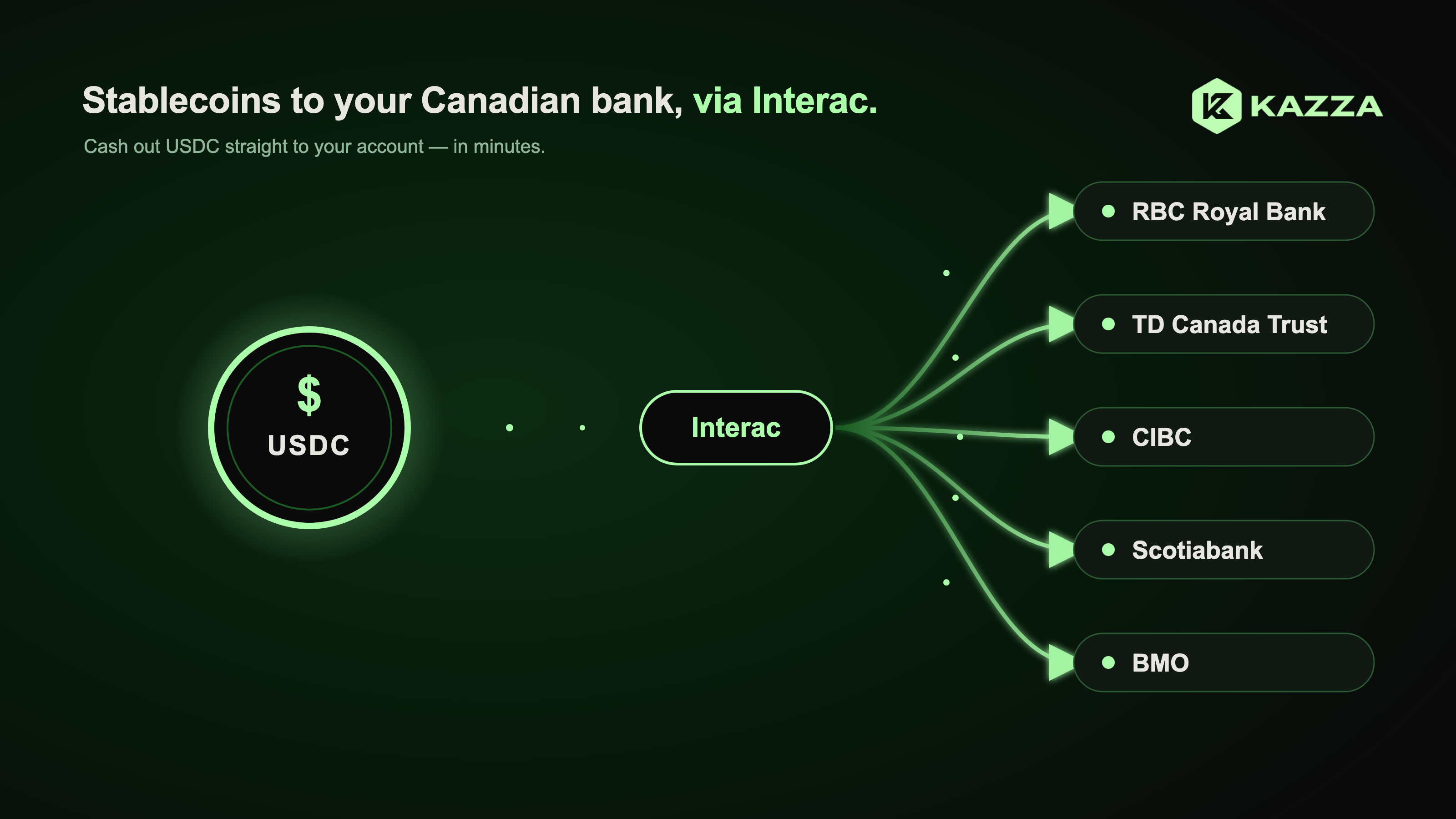
The short answer depends on your platform and whether Autodeposit is set up. Here's which platforms support Interac withdrawals, the exact steps to cash out CAD, the real costs, and how to avoid the delays that catch first-timers off guard.
If you're asking how you can quickly transfer crypto to your Canadian bank account using Interac, the short answer is: it depends on which platform you're using and whether you've set up Autodeposit. Most guides gloss over that distinction, and it's exactly where first-timers lose time. This guide covers which platforms genuinely support Interac e-Transfer withdrawals, the exact steps to cash out your CAD, what the full cost actually looks like, and how to prevent the delays that catch most people off guard the first time around.
You've sold your crypto and the CAD is sitting in your exchange account. Getting it into your Canadian bank account sounds like the straightforward part, but Interac e-Transfer works differently for withdrawals than most people expect. The confusion starts early: most guides lump deposits and withdrawals together as if they operate the same way, and that assumption costs people time when they actually need their money.
While this guide is specifically about Canada, the underlying principle is worth stating upfront: convert crypto and land local currency directly in a bank account within minutes. That outcome is achievable in any market where the right infrastructure exists between the crypto layer and the local payment rail. Platforms like Kazza are already delivering that same experience for users converting USDC to Naira in Nigeria, relevant if you move between markets.
How to quickly transfer crypto to a Canadian bank account using Interac
The deposit-first reality most guides don't mention
Here's the misconception that trips people up most: on the majority of Canadian exchanges, Interac e-Transfer is a deposit mechanism only. Bitbuy, Shakepay, Crypto.com, and MoonPay all use Interac to fund your account, not to withdraw from it. If you're expecting to find a "withdraw via Interac" button on every platform, you'll be disappointed. The standard withdrawal route on most of these exchanges is a bank wire or a platform-specific transfer process, not a traditional e-Transfer.
How Autodeposit changes the receiving experience
Without Autodeposit, you're waiting on a manual acceptance step that must be completed before the transfer expires. Expiry windows vary by sender, platform, and bank, some expire in as little as 24 hours, others after several business days, so check your specific exchange's withdrawal terms for the exact window. Missing that window means the funds get returned to the exchange, which creates an entirely avoidable round trip.
Registration is straightforward. Log into your bank's online banking platform (TD, RBC, and Scotiabank all support this), navigate to the Interac e-Transfer settings, select Autodeposit, and enter your full legal name exactly as it appears on your exchange account. Then confirm via the verification email Interac sends you. That one setup step, done once, eliminates the biggest friction point in receiving crypto payouts via Interac.
Step-by-step: cash out crypto to a Canadian bank account using Interac
Complete KYC before your first withdrawal
No Canadian exchange will process a withdrawal before identity verification is complete. KYC typically requires a government-issued photo ID (passport or driver's licence), a selfie holding that ID, and proof of address such as a utility bill or bank statement dated within the last three months. Bitbuy also requires front and back images for driver's licences. Verification itself is usually automatic and quick, but the platform-level restrictions that follow are what catch people off guard.
Bitbuy, for example, applies a 72-hour withdrawal restriction on all CAD and crypto after your first e-Transfer deposit. Plan ahead. If you know you'll need to withdraw within a day of funding, that restriction will block you regardless of how quickly verification completed. Running through KYC and making a small test deposit at least three days before you need access is standard practice for experienced traders.
Initiating the CAD withdrawal on your exchange
The standard flow across most platforms is consistent: log in, go to the Withdraw section, select Canadian Dollar, choose your withdrawal method, enter the amount, review the fees and limits, and confirm. Where platforms differ is in the specific mechanics. Bitbuy, for instance, uses a "Request Money" system rather than a standard email-based e-Transfer. Sending a regular e-Transfer directly to their email will fail. Use the platform's built-in withdrawal flow, not a manual bank transfer.
Check your registered email address on file at the exchange before you initiate. The payout goes to that email, and if it's outdated or contains a typo, the transfer will either fail or sit unclaimed until it expires. A quick account settings check before your first withdrawal saves a lot of frustration later.
Accepting the payout in your bank account
With Autodeposit enabled, nothing is required from you after confirming the withdrawal on the exchange. Funds arrive in your account automatically, typically within 30 minutes. Without Autodeposit, you'll receive two emails: one confirming the transfer was sent, and a second containing a Secret Answer code. Log into your banking app, navigate to your e-Transfer inbox, and enter the code to accept the funds manually.
The critical detail here is the expiry window. If you don't accept the manual transfer before it expires, the funds are returned to the exchange, and the timeline varies depending on the platform and your bank. Check your spam folder too. The acceptance email regularly lands there, and missing it because your inbox filtered it is entirely preventable.
Fees, spreads, and withdrawal limits: the full cost picture
Spreads are the cost most platforms don't advertise clearly
Platforms like Shakepay advertise zero trading fees, but they earn through spreads baked into the sell price. Shakepay's spreads range from approximately 0.5% to 2.0%. Bitbuy charges a fixed 0.5% spread. What this means in practice: when you sell crypto for CAD, you receive less than the live market rate before the withdrawal even begins.
Withdrawal fees and daily limits by platform
Fee structures across major platforms vary more than most people realise. Several exchanges, including Coinbase, Bitbuy, and Shakepay, have historically offered free Interac withdrawals, while NDAX has charged a flat fee per withdrawal. Kraken's Payper-based e-Transfer withdrawal carries a fee as well. Fee schedules change frequently, so verify directly on each platform's Withdraw or Fees page before initiating. For large amounts where a wire is unavoidable, factor in the wire fee separately when planning your withdrawal.
Transaction limits for Interac e-Transfer deposits range from $20 to $15,000 CAD, but your individual bank typically caps a single transfer at $2,000 to $3,000. Daily limits across most exchanges sit between $10,000 and $30,000. If you're moving a large amount, you may need to split it across multiple days or use a wire for the full sum in a single transaction.
Why your Interac payout is delayed and what to do about it
Common triggers that hold up your funds
Most delays come from a handful of predictable causes. New sender-receiver pairs trigger a 30-minute hold at the bank level, standard fraud prevention that clears automatically. Transfers over certain thresholds (ranging from $100 to $500 at some banks) get flagged for a brief fraud review. A name mismatch between your Autodeposit registration and your exchange account causes the transfer to fail outright. Acceptance emails landing in spam mean users miss the manual acceptance window entirely, resulting in an expired transfer and a return to the exchange.
Banking restrictions are another common culprit. Many banks block outbound e-Transfers to crypto exchanges unless specifically authorised. If your transfer is failing consistently, contact your bank's fraud or security department, confirm the transaction is valid, and request that the restriction be lifted. This is typically a one-time fix.
How to set up for consistent, fast payouts
Instant crypto-to-bank settlement isn't exclusive to Canada
The infrastructure principle behind Interac e-Transfer
What makes Interac work well is its underlying structure: a direct connection between crypto platforms and the domestic banking system, with near-instant settlement and minimal intermediaries. Canada built this well, which is why supported platforms can deliver CAD withdrawals within minutes. The principle itself isn't country-specific. Once the right infrastructure exists between a crypto layer and a local payment rail, the same outcome, crypto converted to local currency, landed in a bank account quickly, becomes replicable in other markets.
How Kazza delivers this same experience globally for stablecoin holders
Whether you're a freelancer in Canada cashing out stablecoins via Interac or a business in Nigeria managing cross-border payments in Naira, the infrastructure Kazza provides brings regulated, transparent, and fast conversions. The settlement speed and pricing transparency Canadians take for granted with Interac is the same experience Kazza offers across multiple markets.
Final thoughts: how to quickly transfer crypto to your Canadian bank via Interac
Before your first CAD withdrawal, run through a quick checklist — the fastest payouts happen when everything is sorted before you hit send, not after something fails.
- Confirm your platform actually supports Interac as a withdrawal method, not just for deposits.
- Complete KYC a few days ahead of when you'll need the money.
- Turn on Interac Autodeposit and make sure your registered legal name matches your account exactly, so nothing bounces.
- Check the transfer's expiry window on your specific platform.
- And factor in the spread when you work out how much CAD will actually land in your account.
Get those five things right, and a minutes-not-days payout to your Canadian bank becomes the norm, not the exception. And if you're outside Canada facing the same wall, the mechanics are identical — crypto in, local currency out, straight to a bank account. That infrastructure now exists across a growing list of markets, not just North America. Holding USDC and need Naira in minutes? That's exactly the kind of corridor Kazza is built for. Open an account, run one small test transaction first, and you'll know precisely what to expect before you move anything larger.